
SpringBoot配置SSL证书
获取证书
进入阿里云的域名管理,进入SSL证书
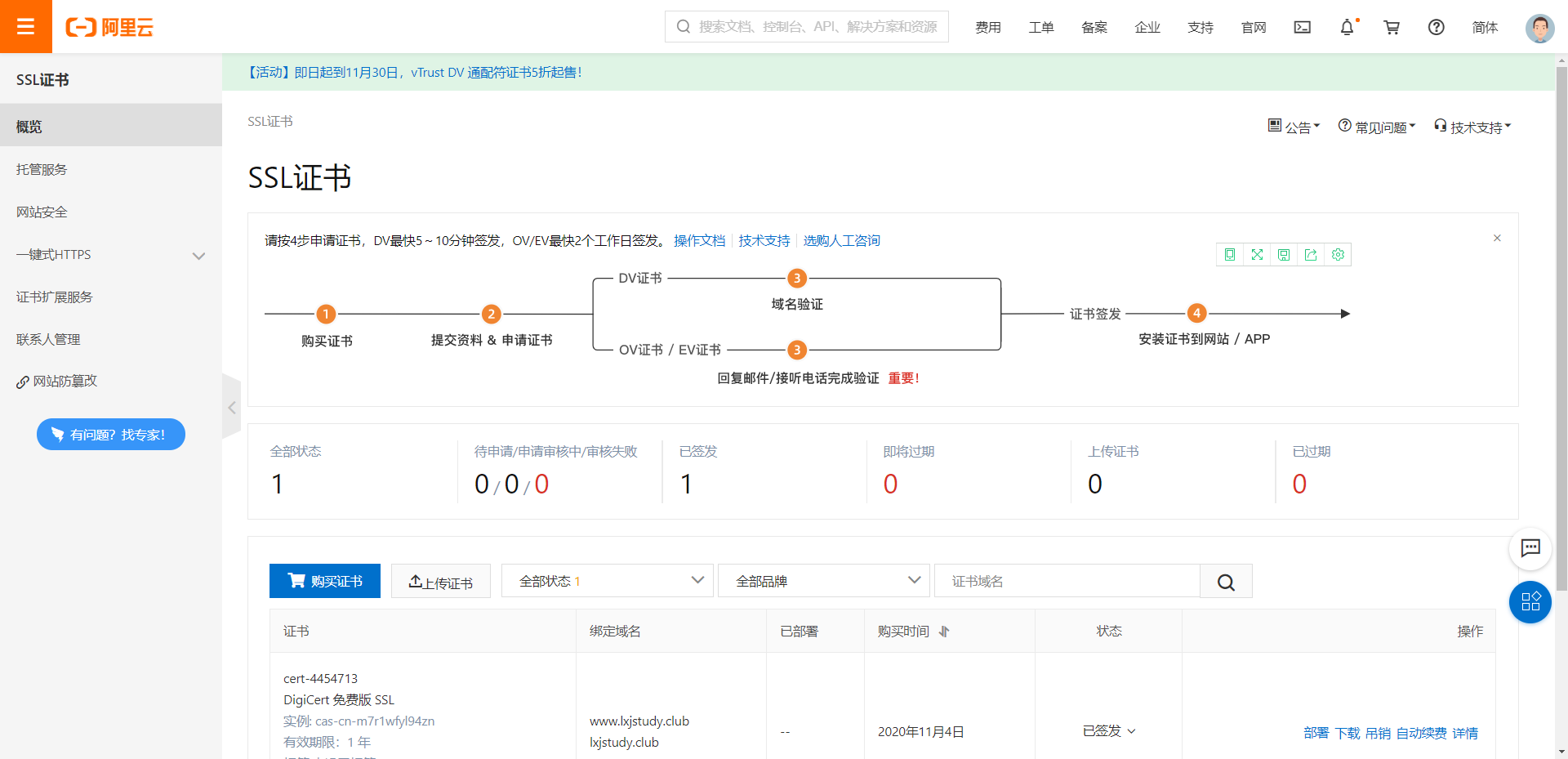
点击购买证书
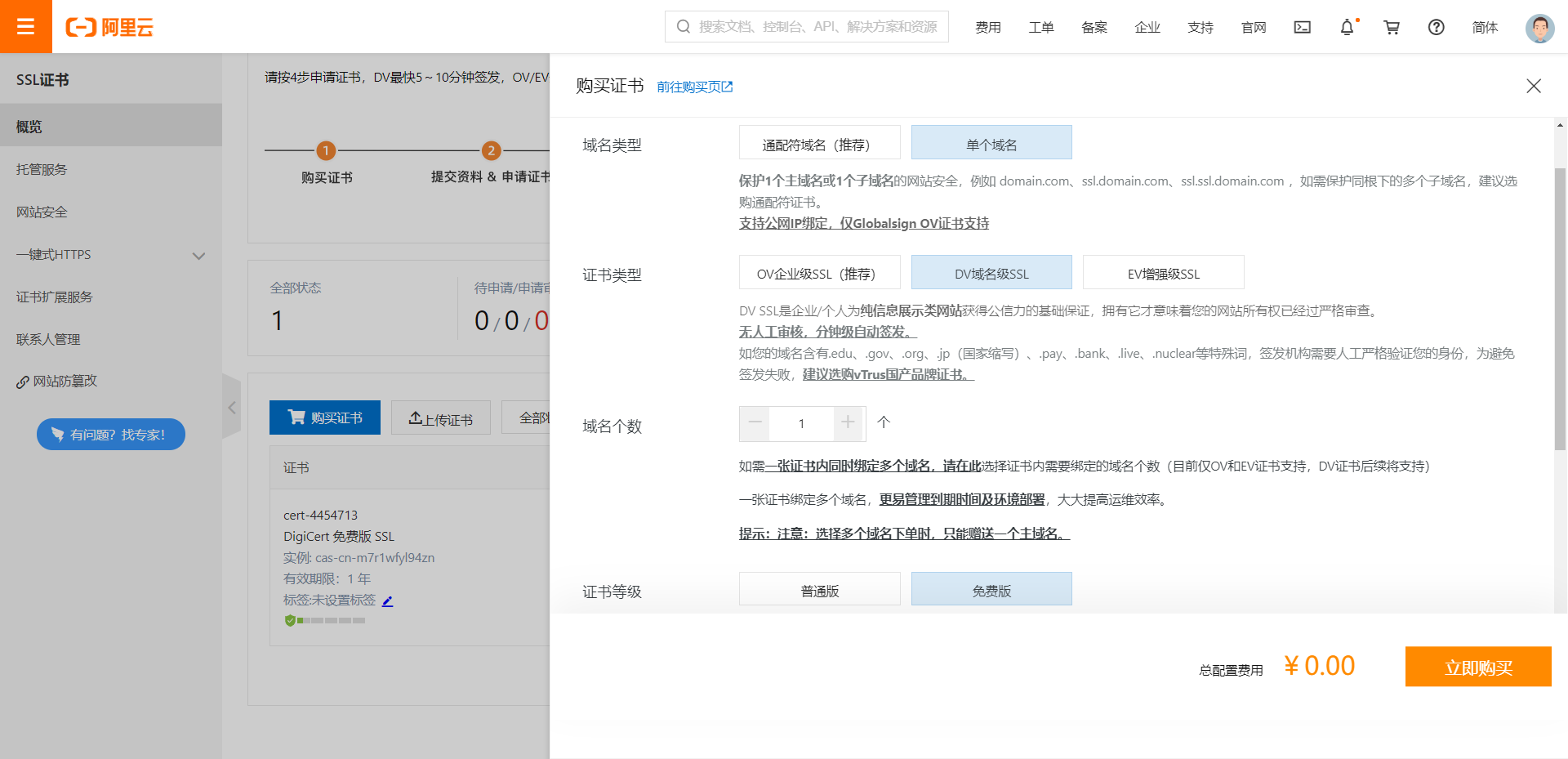
填写信息验证等操作,只要是阿里云域名就很快
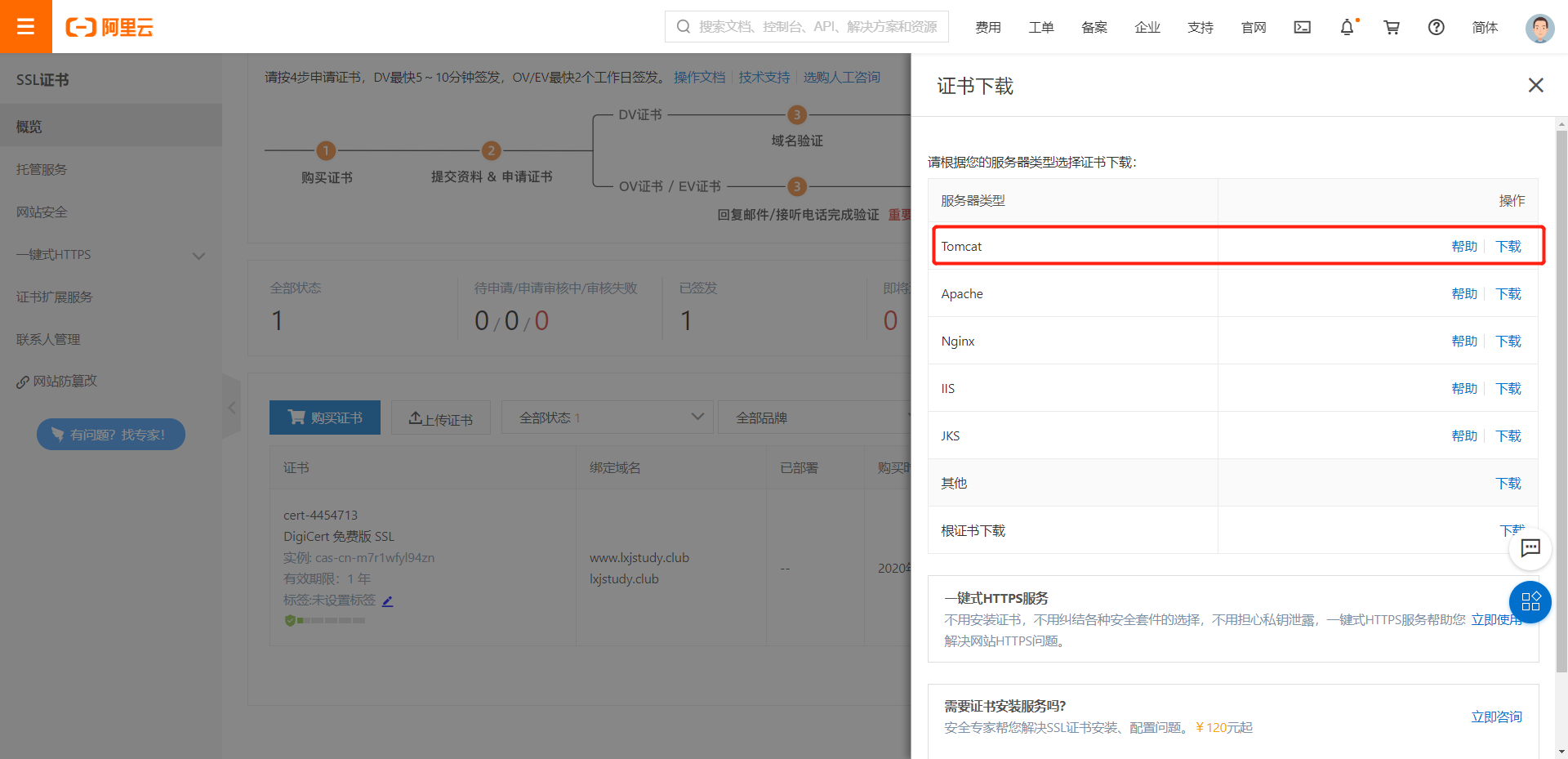
下载Tomcat类型证书
在SpringBoot项目中配置证书
将下载的证书中的 .pfx 文件复制到项目的
resources目录下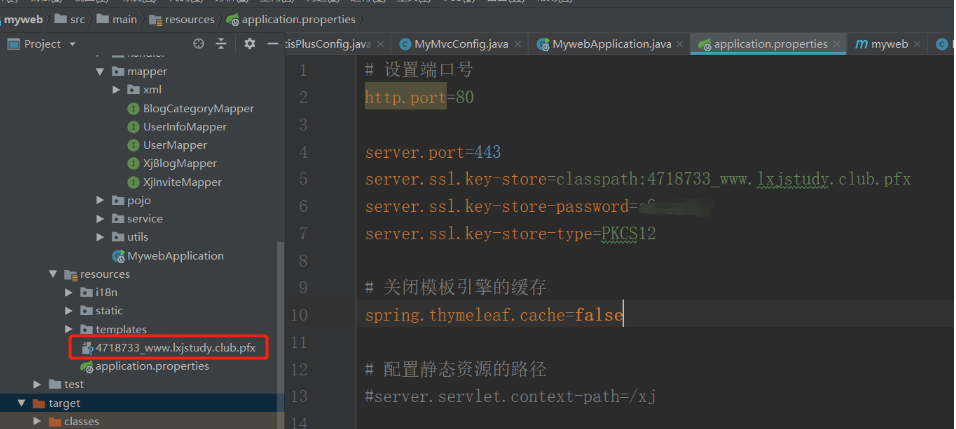
在
application.properties中进行配置http.port=80 server.port=443 server.ssl.key-store=classpath:4718733_www.lxjstudy.club.pfx server.ssl.key-store-password=XXX # 查看下载的证书目录下的另一个文件 server.ssl.key-store-type=PKCS12在启动类中进行配置,设置域名重定向
@Bean
public ServletWebServerFactory servletContainer() {
    TomcatServletWebServerFactory tomcat = new TomcatServletWebServerFactory() {
        @Override
        protected void postProcessContext(Context context) {
            SecurityConstraint securityConstraint = new SecurityConstraint();
            securityConstraint.setUserConstraint("CONFIDENTIAL");
            SecurityCollection collection = new SecurityCollection();
            collection.addPattern("/*");
            securityConstraint.addCollection(collection);
            context.addConstraint(securityConstraint);
        }
    } ;
    tomcat.addAdditionalTomcatConnectors(redirectConnector());
    return tomcat;
}

private Connector redirectConnector() {
    Connector connector = new Connector(TomcatServletWebServerFactory.DEFAULT_PROTOCOL);
    connector.setScheme("http");
    connector.setPort(80);
    connector.setSecure(false);
    connector.setRedirectPort(443);
    return connector;
}
将项目进行打包,生成项目jar包
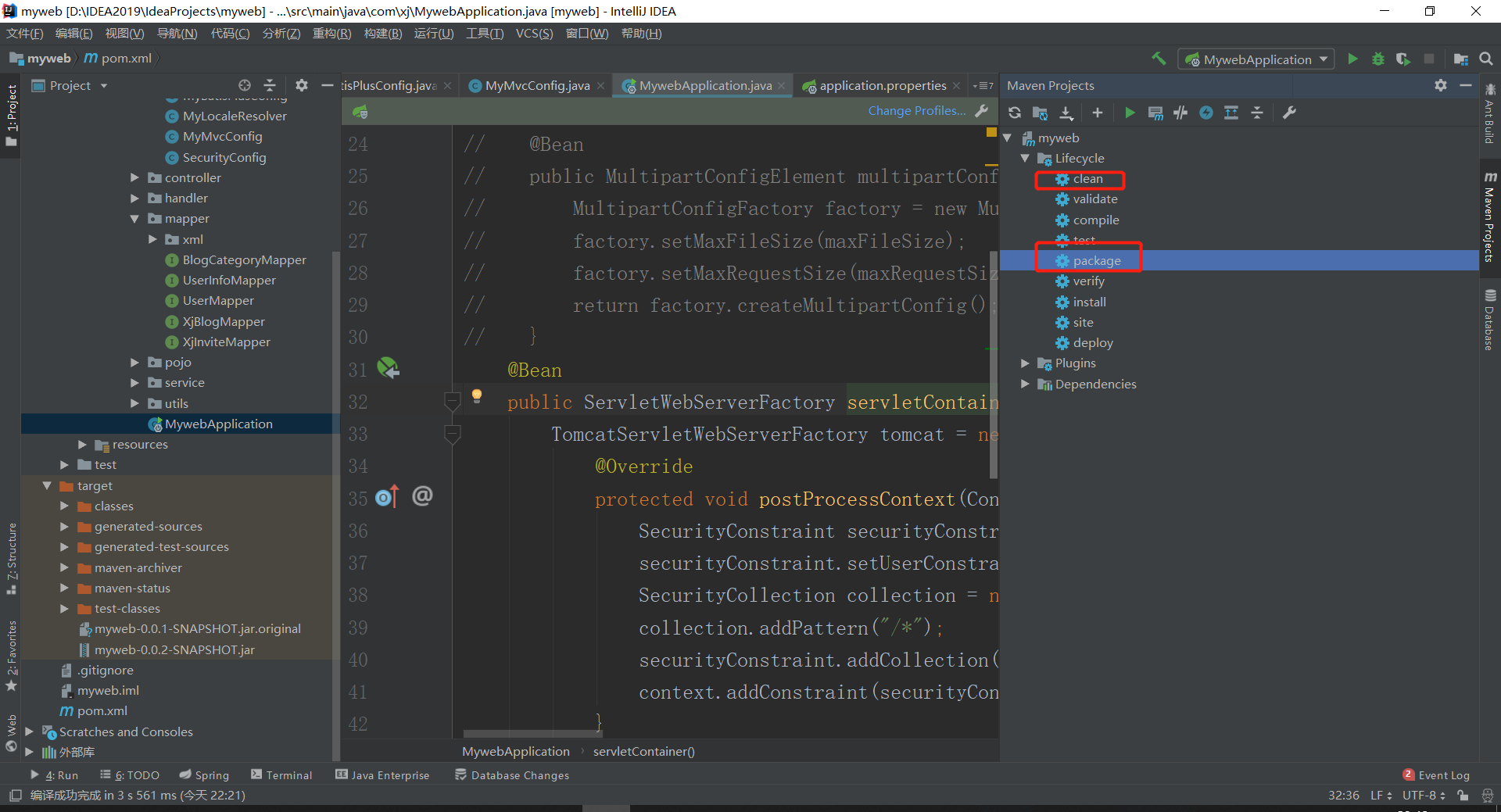
将jar上传到服务器上
进入项目目录下运行指令
nohup java -jar XXX.jar &此时在进行访问自己网址,在浏览器中输入
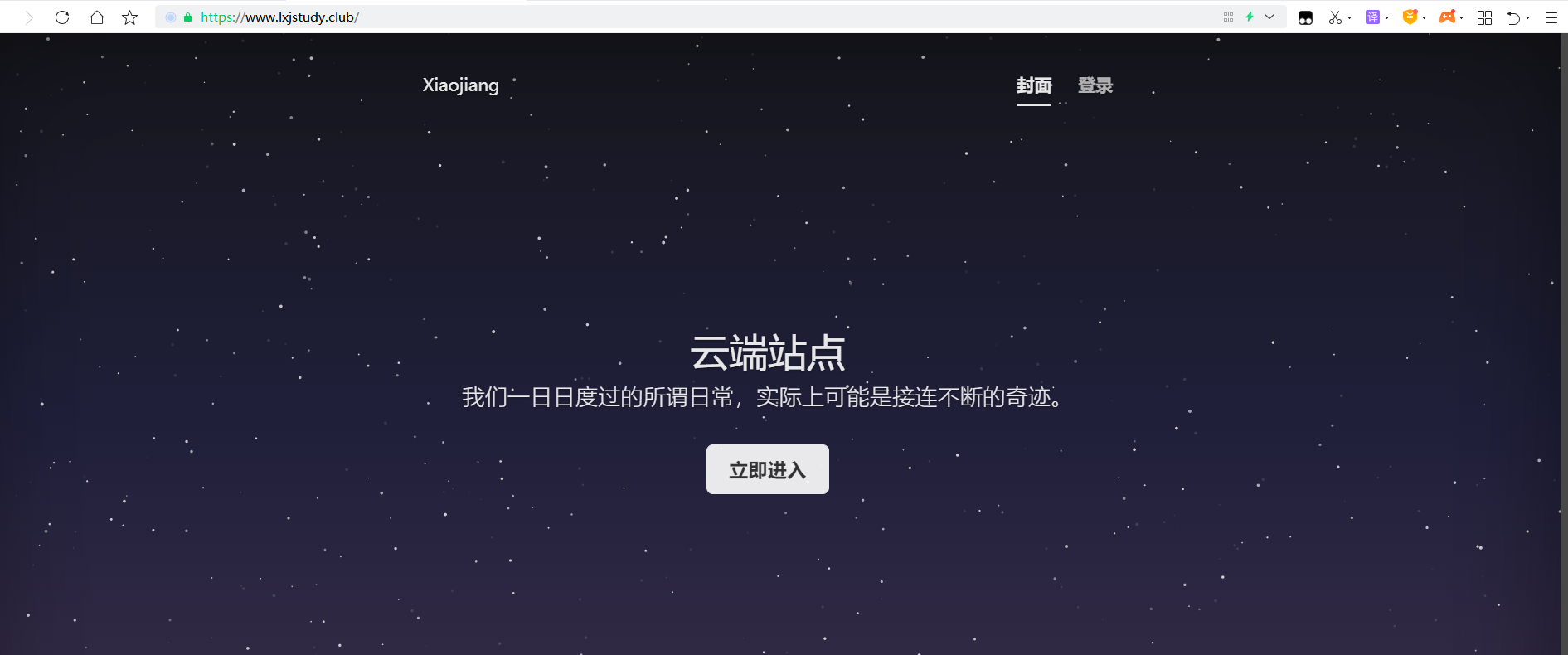
https://www.xxx.com:443/第一次访问先输入443端口,之后就不需要了(也有可能是我之前的缓存问题)
提升启动速度
springboot提高启动速度
只需修改xxx.jar文件名
java -jar -Djava.security.egd=file:/dev/./urandom xxx.jar后台启动
nohup java -jar -Djava.security.egd=file:/dev/./urandom xxx.jar &如果不着急的话,也可以直接使用如下指令
 java -jar xxx.jar        # 启动项目

 nohup  java -jar xxx.jar &        # 后台启动并运行项目
谢谢光临~
- 本文链接:https://lxjblog.gitee.io/2020/12/30/%E9%85%8D%E7%BD%AESSL%E8%AF%81%E4%B9%A6/
- 版权声明:本博客所有文章除特别声明外,均默认采用 许可协议。